Scores table definition
Once the scoring add-on is setup on your license, the dedicated Scores table is automatically added to your data model.
To review the predictive attributes enabled on your license or inspect their technical parameters, you can consult the table structure directly within the Tables Structure module (Hub > Data > Tables Structure).

Two options are available to you :
- Consulting the list of fields via the interface
- Consulting the technical definition of the table via its definition JSON
Consulting the list of fields via an interface
Select the Scores table for which you want to view the definition and click on "View".
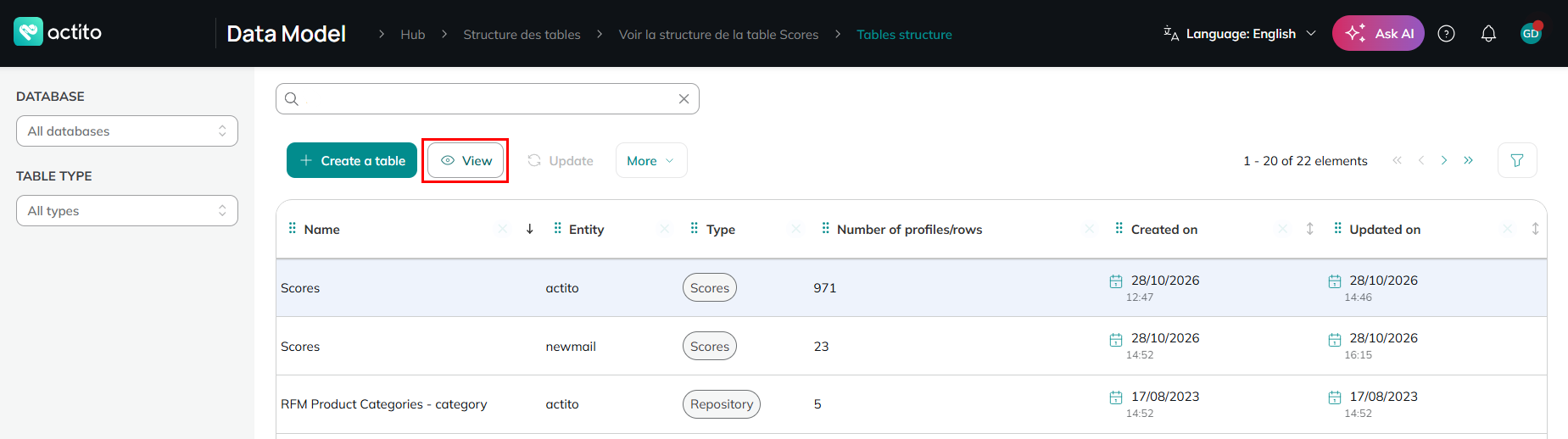
You will then be redirected to a screen listing all the predictive attributes currently active and the other standard fields present in this table.
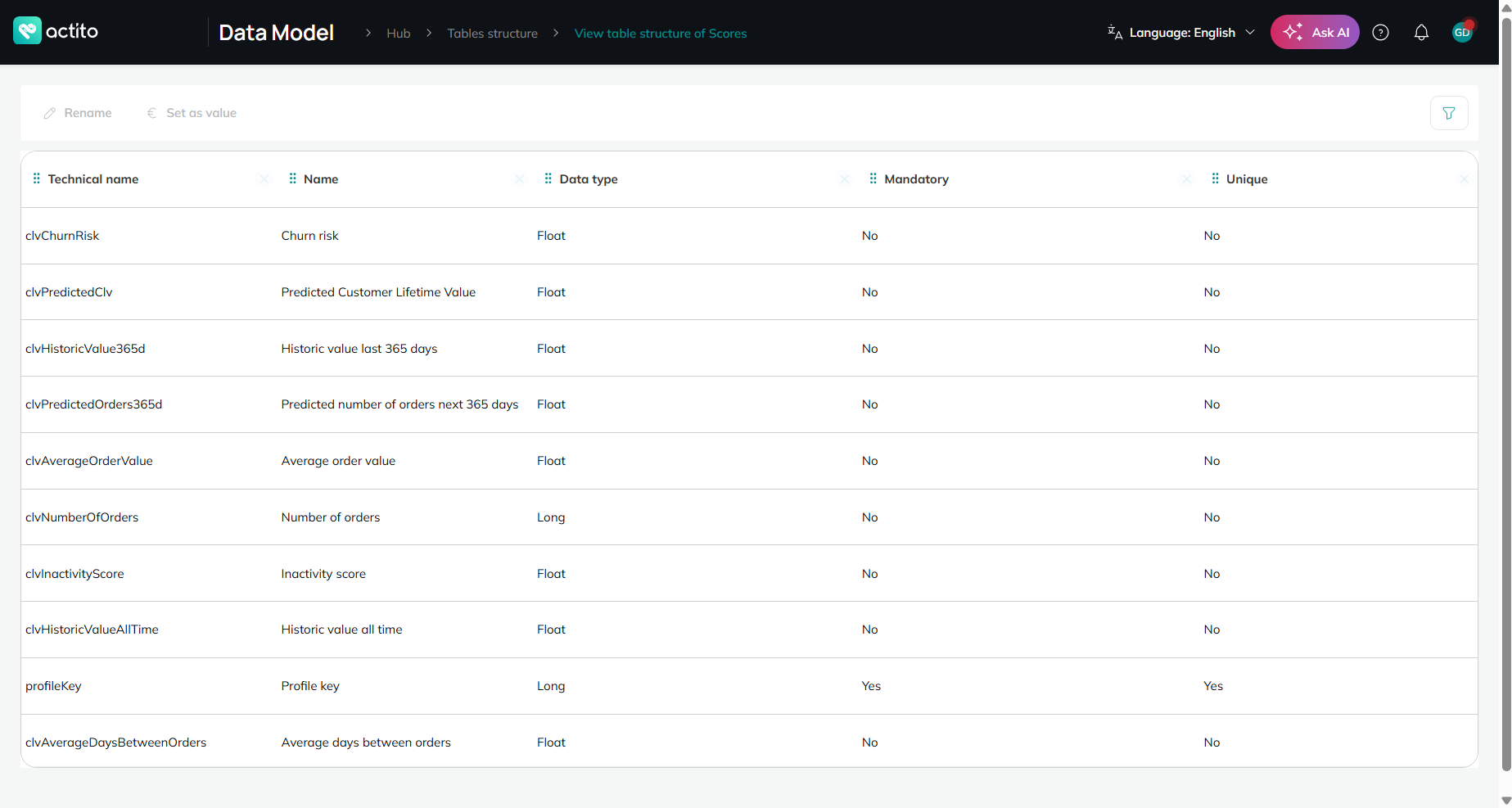
For a complete understanding of each predictive attribute, please refer to the list of predictive attributes.
Consulting the table definition JSON
Select the table for which you want to consult the definition JSON, then click on the "More" button followed by "View definition".
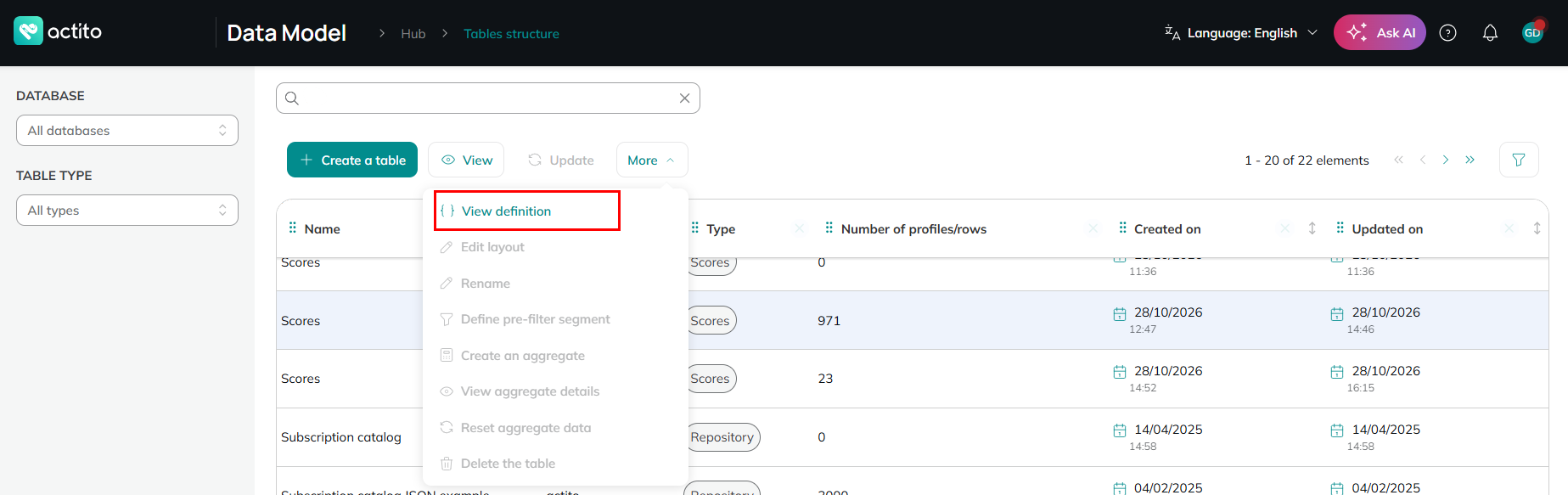
This action will open a side panel displaying the table definition JSON.
From this screen you can also download this JSON definition file via the "Download definition" button.
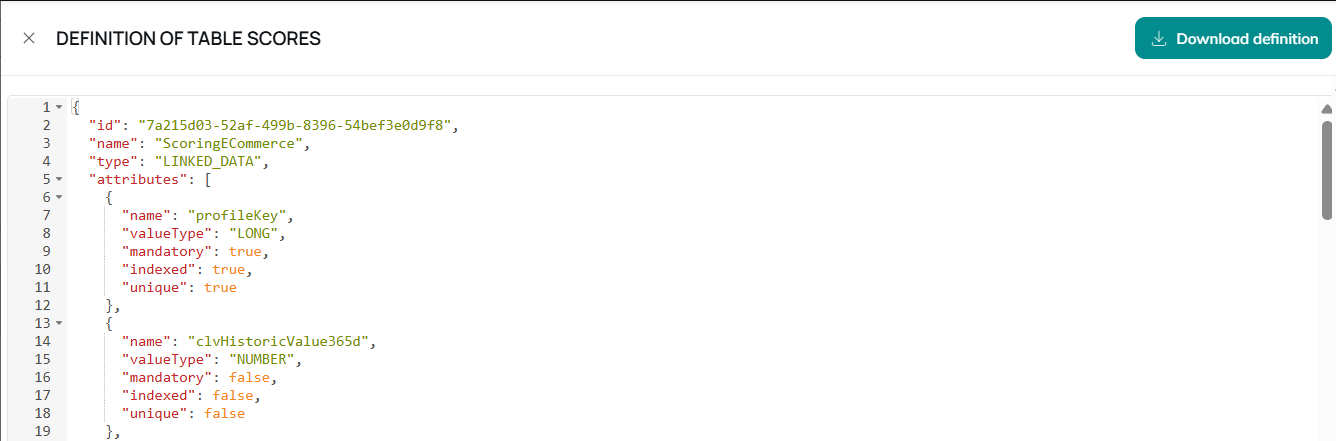
Because the Scores table is a table managed entirely by the predictive add-on engine, it is in read-only mode. Its structure and fields cannot be edited or modified.