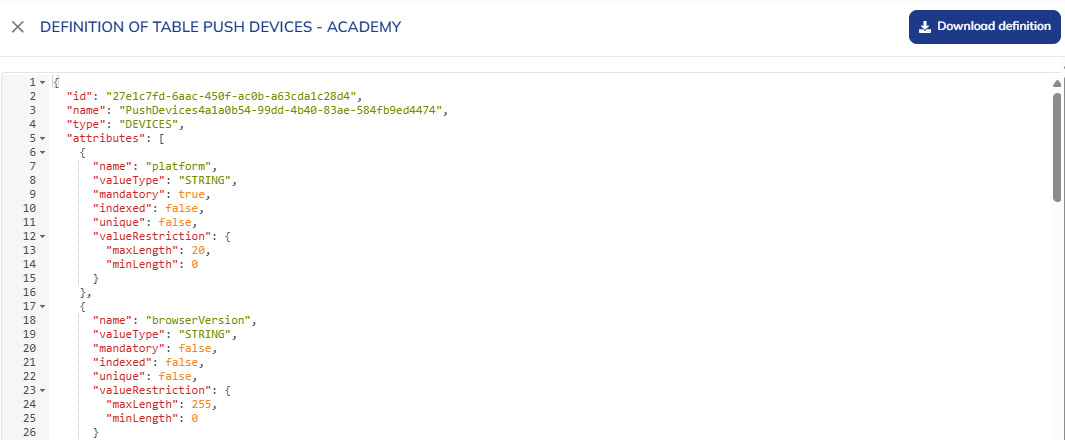
Device table definition
To consult the definition of a Devices table, go to the Tables Structure module (Hub > Data > Tables Structure).

Two options are available to you :
- Consulting the list of fields via an interface
- Consulting the technical definition of the table via its definition JSON
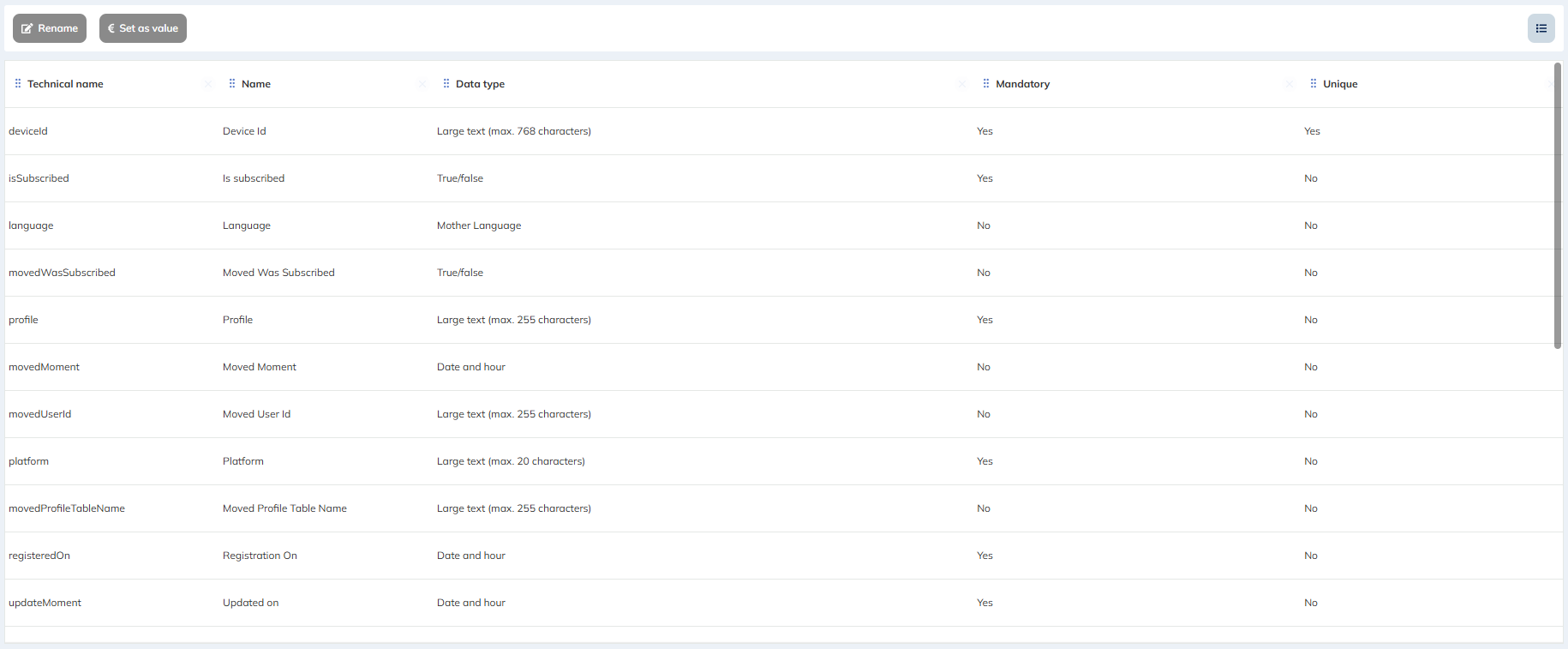
Consulting the list of fields via an interface
Select the Devices table for which you want to view the definition and click on "View".

You will then be redirected to a screen listing the different fields present in this table.
Consulting the table definition JSON
Select the table for which you want to consult the definition JSON, then click on the "More" button followed by "View definition".
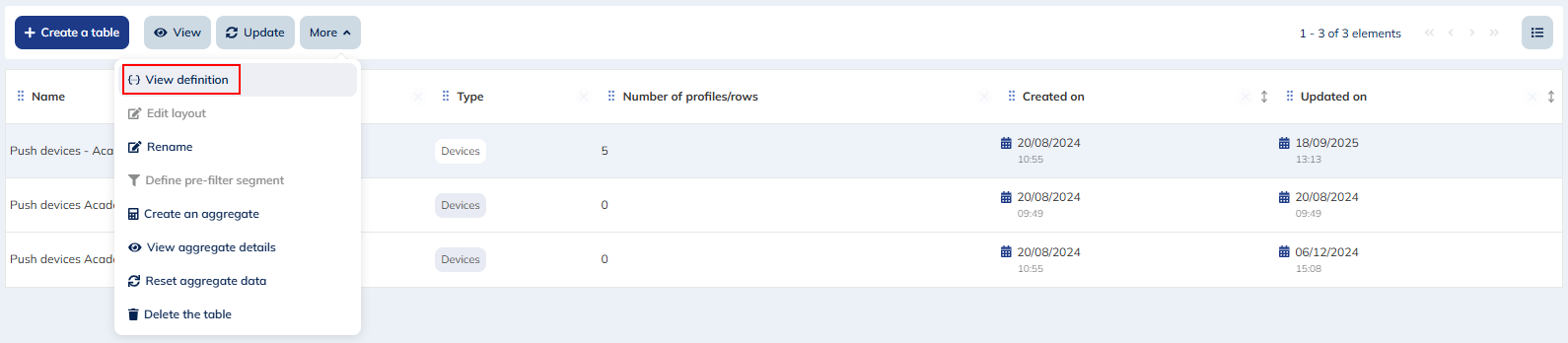
This action will open a sidepanel displaying the table definition JSON.
From this screen you can also download this JSON definition file via the "Download definition" button.